Stripe Connect & Mobile Wallets
Collect upfront deposits or full payments with bank-grade security. Clients pay in one tap with Apple Pay, Google Pay, Visa, Mastercard, or AMEX through Stripe Checkout.


Built for solo service pros · Start free
Customers pick a time and pay upfront or leave a deposit, straight into your own Stripe account. No website needed.
How do you want to set up? It's free to start.
Starter has no monthly fee. See pricing
What you and your customers see
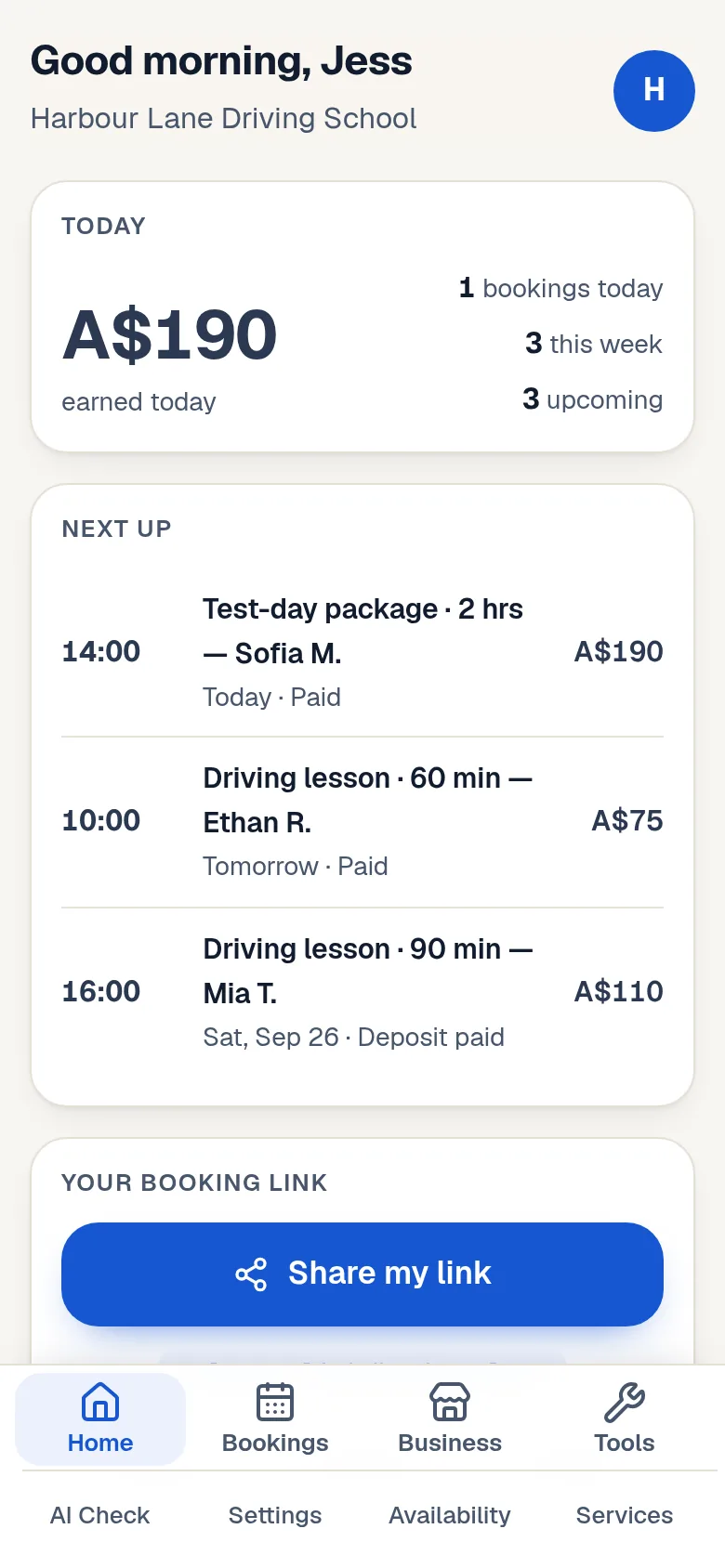
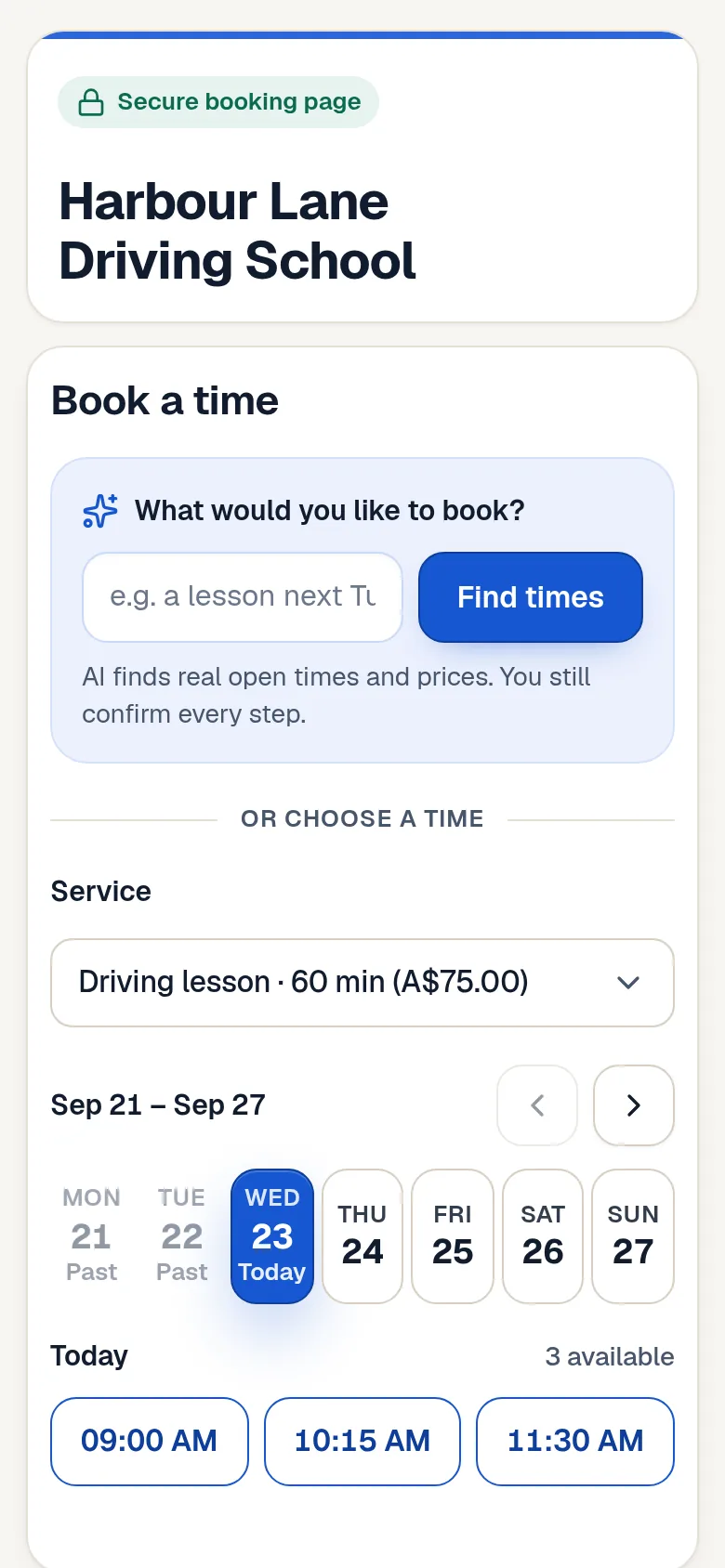
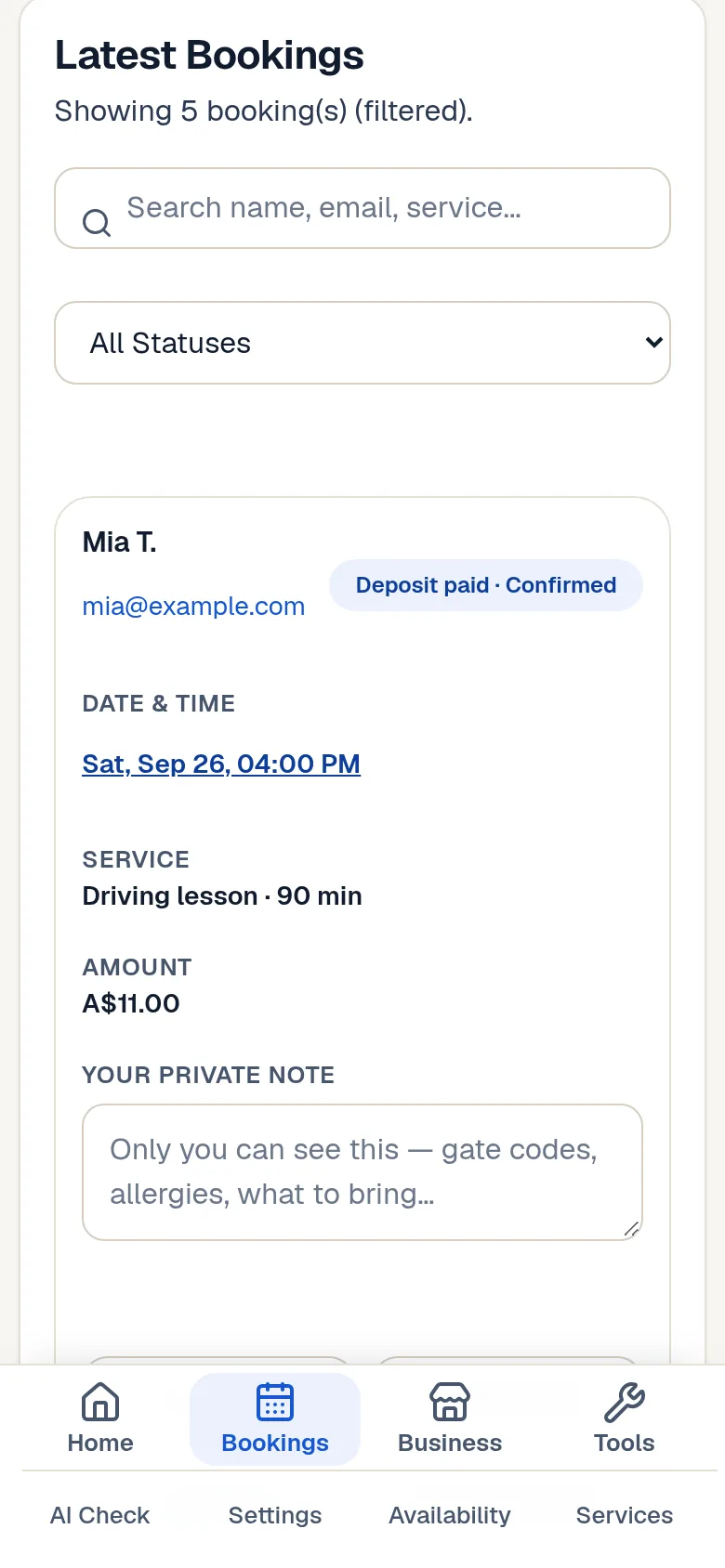
Swipe to see more · demo business, demo customers


 Mastercard
 Apple Pay
 Google Pay
Sign in, add your services and availability, then complete Stripe onboarding. Your link can accept payments once Stripe confirms the required capabilities.
Put your booking link in messages, social profiles, your website or printed materials. Customers see your services, prices and available times.
Customers verify their email and pay in full or leave a deposit. After payment is verified and the appointment is saved, they can see the confirmation and use their customer portal.
Connect your solo business with the world-class platforms you and your clients already rely on.
Collect upfront deposits or full payments with bank-grade security. Clients pay in one tap with Apple Pay, Google Pay, Visa, Mastercard, or AMEX through Stripe Checkout.
Every confirmed booking lands in your Google Calendar automatically. Add time off in Availability for outside commitments, and manage your day directly from your phone.
Create your booking link with AI Setup powered by Google Gemini. Then review your schedule, earnings, and bookings hands-free with Solo, your AI copilot.
Learn how our lean, AI-driven model keeps fees low and passes savings to you. Read our story & meet the founders →
Simple from setup to payment. Three short clips of the real product with a demo business.
Add your services, price and availability. Your booking link is ready in minutes.
Demo business and demo customers. No real data.
Illustrative link names. Choose an available name for your own business during setup.
solopay.link/marytuitions
solopay.link/yogawithamy
solopay.link/hairbyalex
Built for one person running their own service business. If customers book a time with you and pay you, SoloPayLink fits.
Learners pick a lesson time and pay up front. Your week fills without the back-and-forth.
Lessons · test-day packages · pick-upsOne link for lessons and sessions, online or in person. Booked, paid and tracked in one place.
Tutoring · music lessons · coachingDeposits protect your time. Clients choose a slot, confirm themselves and turn up ready.
Lashes · nails · massage · home salonsCustomers pick a time and pay, so a quote becomes a confirmed job instead of another message.
Cleaning · gardening · handyman workYou go to the customer. They book where you already are, and the deposit is paid before you drive.
Dog washing · grooming · mobile detailingConfirmed, paid call-outs on your terms. Customers see your prices and open times before they book.
Mobile mechanics · appliance and field repairsReal feedback from SoloPayLink users.
Everything below is what SoloPayLink does today for every owner: one link, Stripe-hosted checkout, and clear money flow. Nothing here is a customer review.
Your services, prices, working days and notice window live in one place. Customers pick an open time themselves, so the back-and-forth of finding a slot goes away.
Share your solopay.link address in WhatsApp, Instagram, a text or a website button. Customers see what you offer, when you are free and what it costs, then book in a few taps.
Choose full payment, a deposit, or both. Customers pay through Stripe-hosted checkout before the slot is confirmed, and the money goes to your own Stripe account.
Confirmation emails go to you and the customer, reminders go out before the appointment, and the customer portal shows payment status, rescheduling and cancellations under your rules.
Create your profile, then connect Stripe.